Icons
The ModernGlyphs catalog and the Icon() helper.
ModernUi has no icon control - icons are glyphs from the Segoe Fluent Icons font (with Segoe
MDL2 Assets as a fallback), rendered in a TextBlock. ModernGlyphs exposes the common glyphs by
name so you don't have to memorise codepoints.
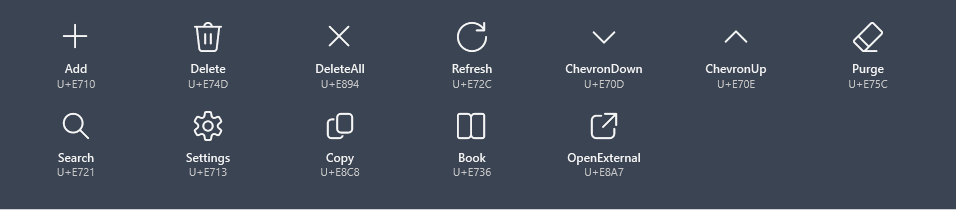
Catalog
ModernGlyphs.Add        // U+E710
ModernGlyphs.Delete     // U+E74D
ModernGlyphs.Refresh    // U+E72C
ModernGlyphs.Search     // U+E721
ModernGlyphs.Settings   // U+E713
ModernGlyphs.Copy       // U+E8C8
// … and more: DeleteAll, ChevronUp/Down, Purge, Book, OpenExternal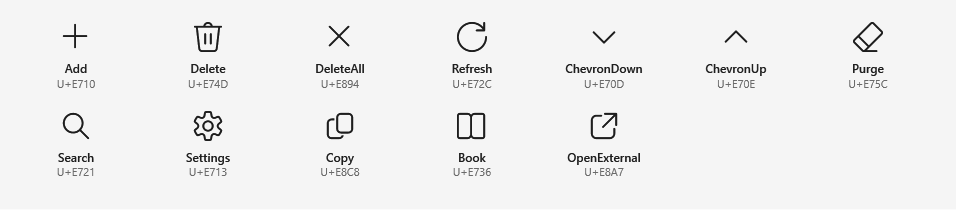
A single glyph
In XAML, set the icon font and the glyph directly:
<TextBlock FontFamily="Segoe Fluent Icons, Segoe MDL2 Assets" FontSize="24" Text="" />

The Icon() helper
In code, ModernGlyphs.Icon builds a ready-to-use TextBlock:
TextBlock icon = ModernGlyphs.Icon(ModernGlyphs.Settings, size: 24);
myButton.Content = icon;
Icon + text
Combine a glyph and a label in a button:
<Button>
<StackPanel Orientation="Horizontal">
<TextBlock FontFamily="Segoe Fluent Icons, Segoe MDL2 Assets" Text="" VerticalAlignment="Center" />
<TextBlock Text="Settings" Margin="8,0,0,0" VerticalAlignment="Center" />
</StackPanel>
</Button>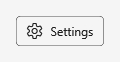

Common glyphs